Smartsheet systems for tracking, reporting, automation, and visibility.
VOS builds practical Smartsheet systems that organize work through forms, sheets, reports, dashboards, automations, and workflow views.
Smartsheet is strongest when the workflow is designed first.
Smartsheet can support intake, tracking, reporting, dashboards, update requests, reminders, and operational visibility. VOS focuses on designing the workflow before building the sheet.
Common problems
- Sheets exist but reporting and ownership are unclear
- Forms collect data but do not support a full workflow
- Dashboards are missing, confusing, or too manual
- Automations are not aligned with how work actually moves
Smartsheet builds with operational purpose.
Forms and intake
Create structured forms that capture useful data for jobs, tasks, requests, issues, or projects.
Trackers and reports
Build sheets and reports that show active work, ownership, status, priority, and next steps.
Dashboards and automations
Create dashboards, alerts, update requests, and reminders that support management visibility.
Forms should feed directly into a usable operational system.
VOS can build a client-facing intake form that feeds directly into a Smartsheet-style tracker. That means the information captured at the front end becomes structured work data instead of another message that has to be re-entered later.
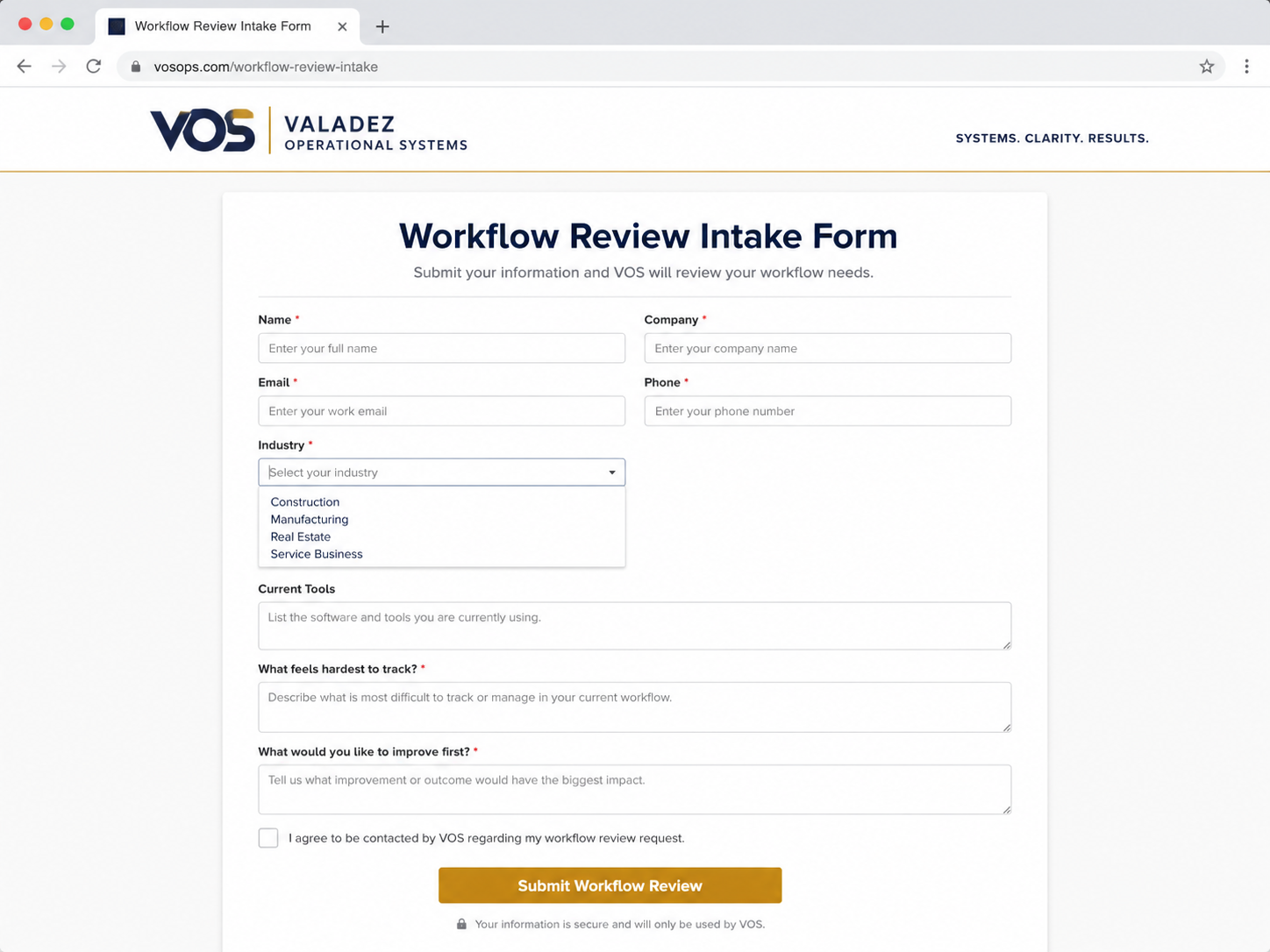
Client-facing intake form
This is the kind of form VOS can build to collect job requests, workflow review requests, service needs, or intake details in a clean and professional format.
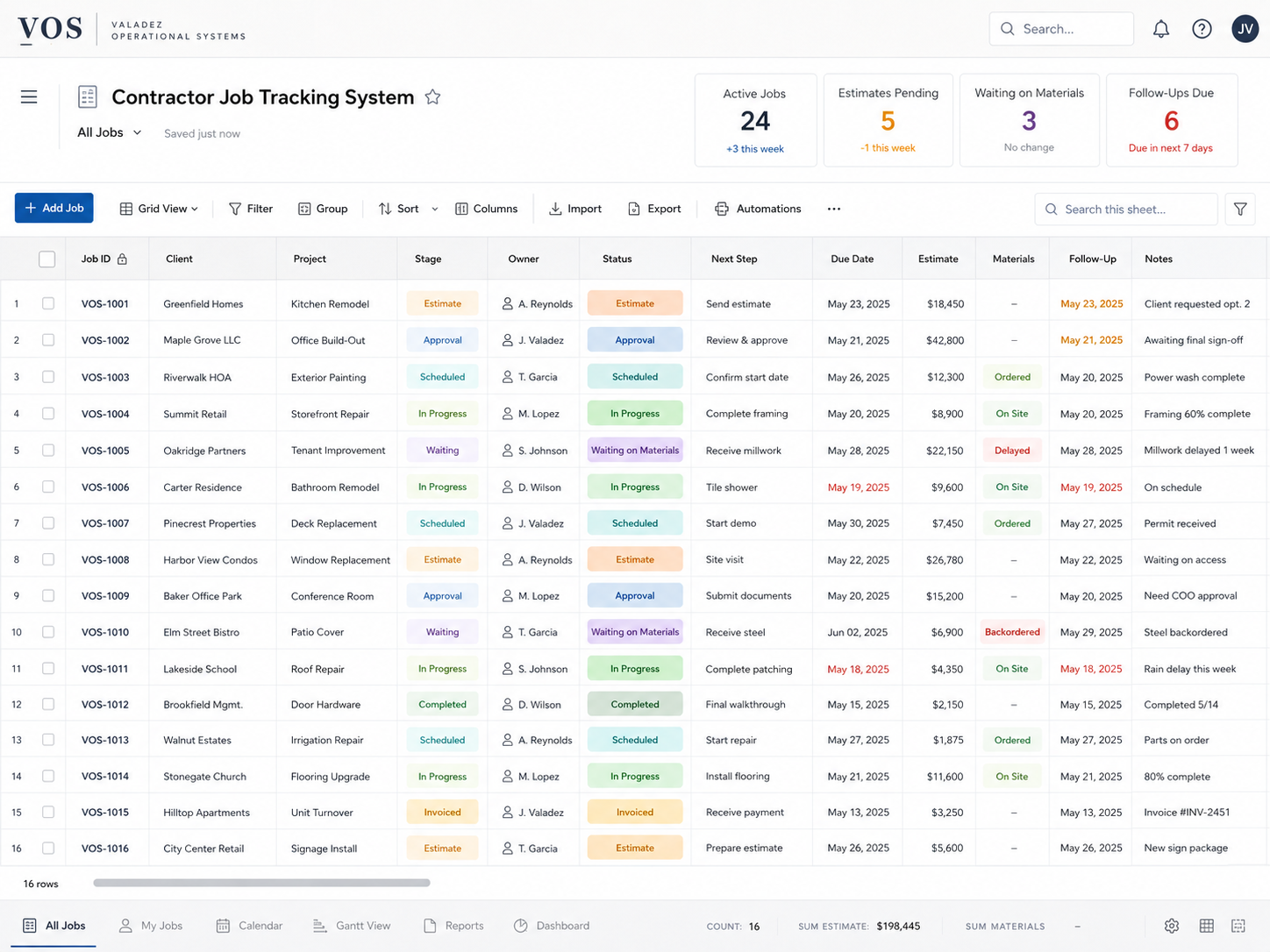
Tracker and management view
After submission, the intake can feed directly into a tracker that supports ownership, status, due dates, reporting, and dashboard visibility.
Start with a Workflow Review.
A Workflow Review can define the Smartsheet structure before the system is built.
Request a Workflow Review