Small business operations systems for tracking, follow-up, and reporting.
VOS helps small and mid-sized businesses replace scattered work with practical workflow systems, trackers, dashboards, forms, and automations.
Small businesses often grow faster than their systems.
As work increases, notes, spreadsheets, texts, inboxes, and memory can stop being enough. VOS helps create structure without adding unnecessary complexity.
Common problems
- Work is tracked in too many places
- Owner visibility depends on asking people for updates
- Follow-ups are missed or repeated manually
- Reports take too long to prepare
Practical systems for real daily work.
Task and request tracking
Organize internal tasks, customer requests, follow-ups, and ownership.
Forms and dashboards
Create forms and dashboards that make work easier to see and manage.
Automation and reporting
Reduce repeated follow-up and build reports around the information owners need most.
See what a small business operations system can include.
Small business systems usually start with three practical pieces: a form to capture work, a tracker to manage what is active, and a dashboard or snapshot so the owner can see where attention is needed.
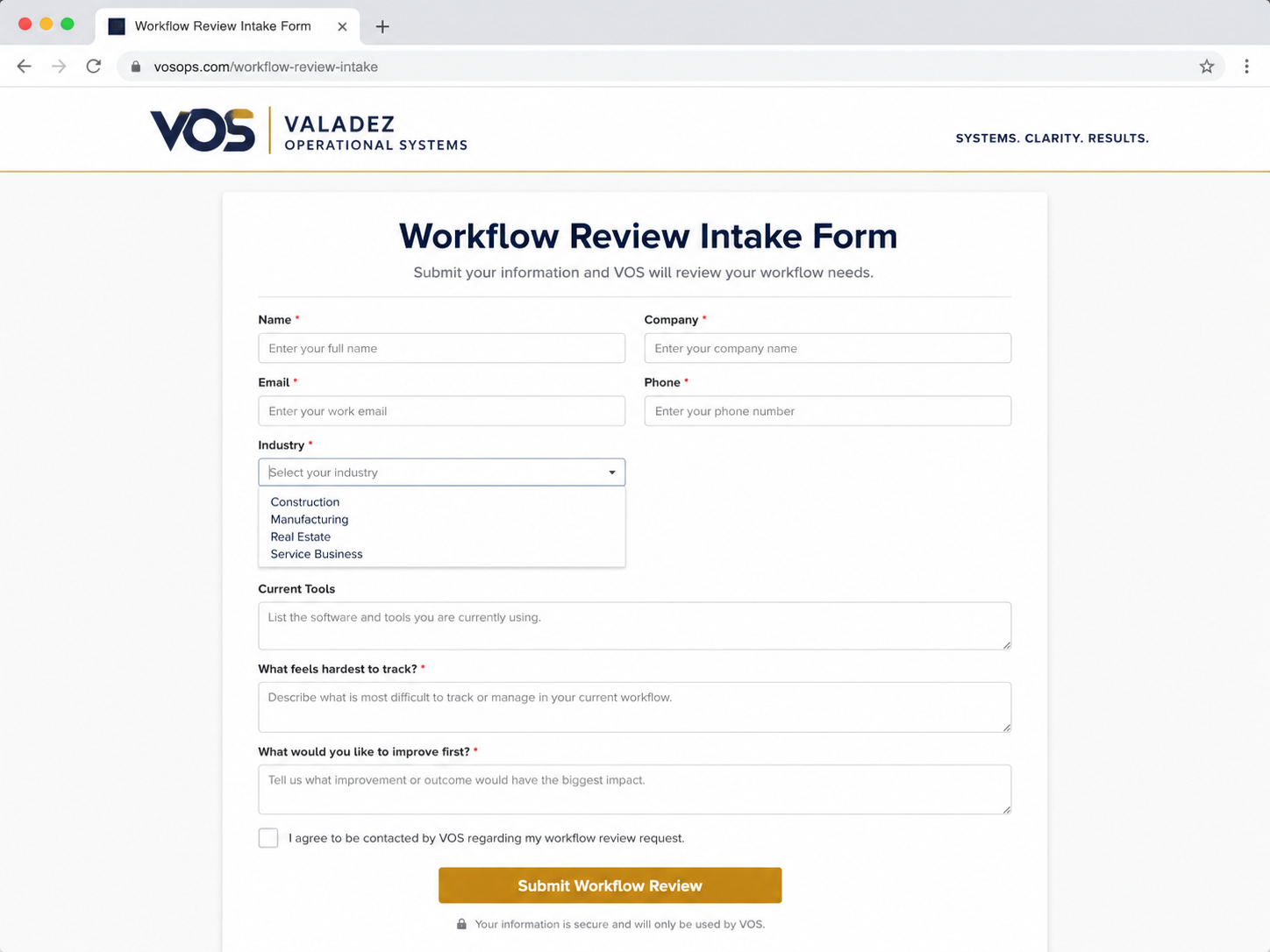
Intake form
Bring requests, contact details, priorities, and business needs into one structured intake instead of scattered texts and emails.
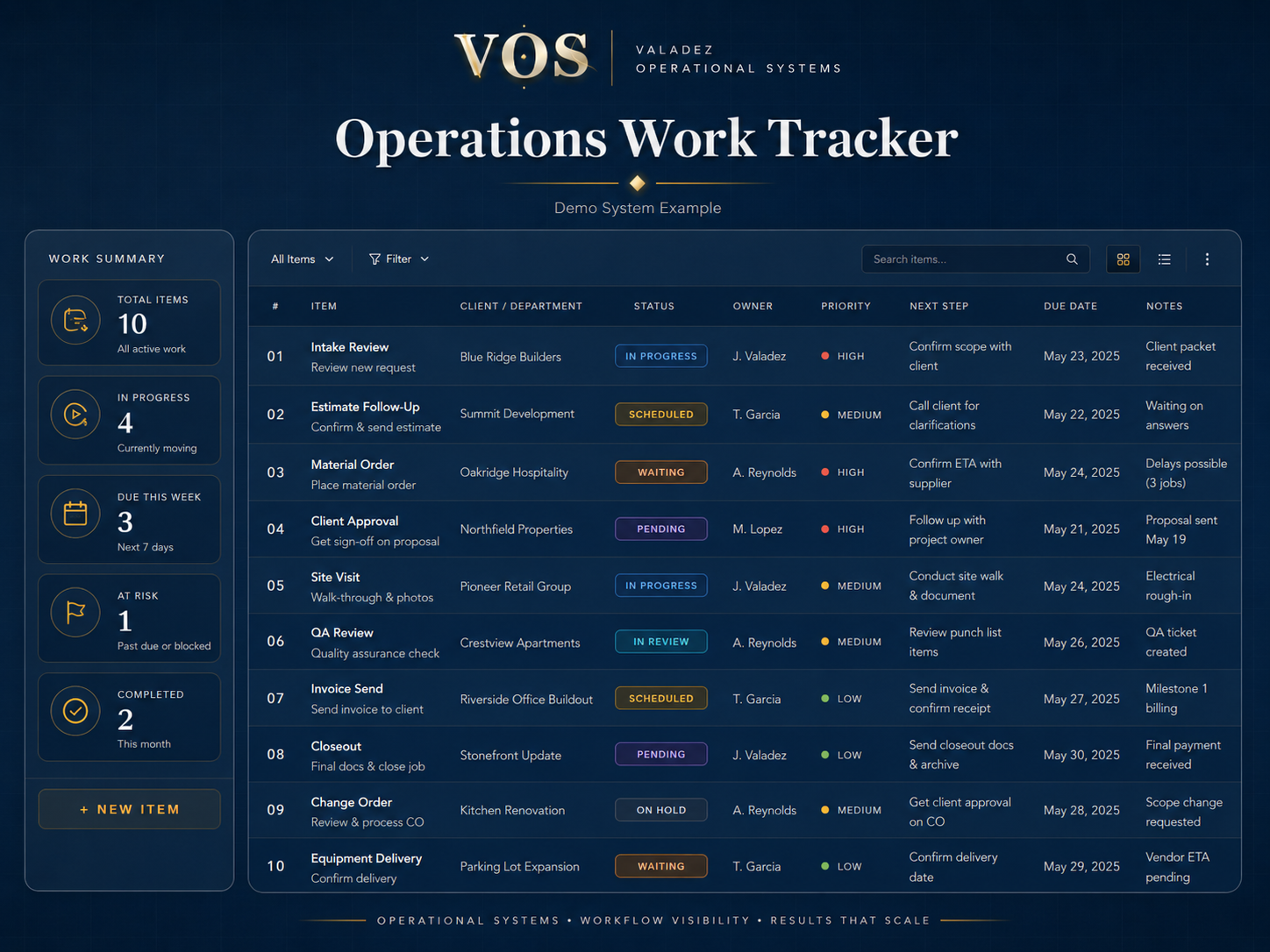
Work tracker
Organize active work, ownership, due dates, next steps, and status so the team knows what is moving and what is waiting.
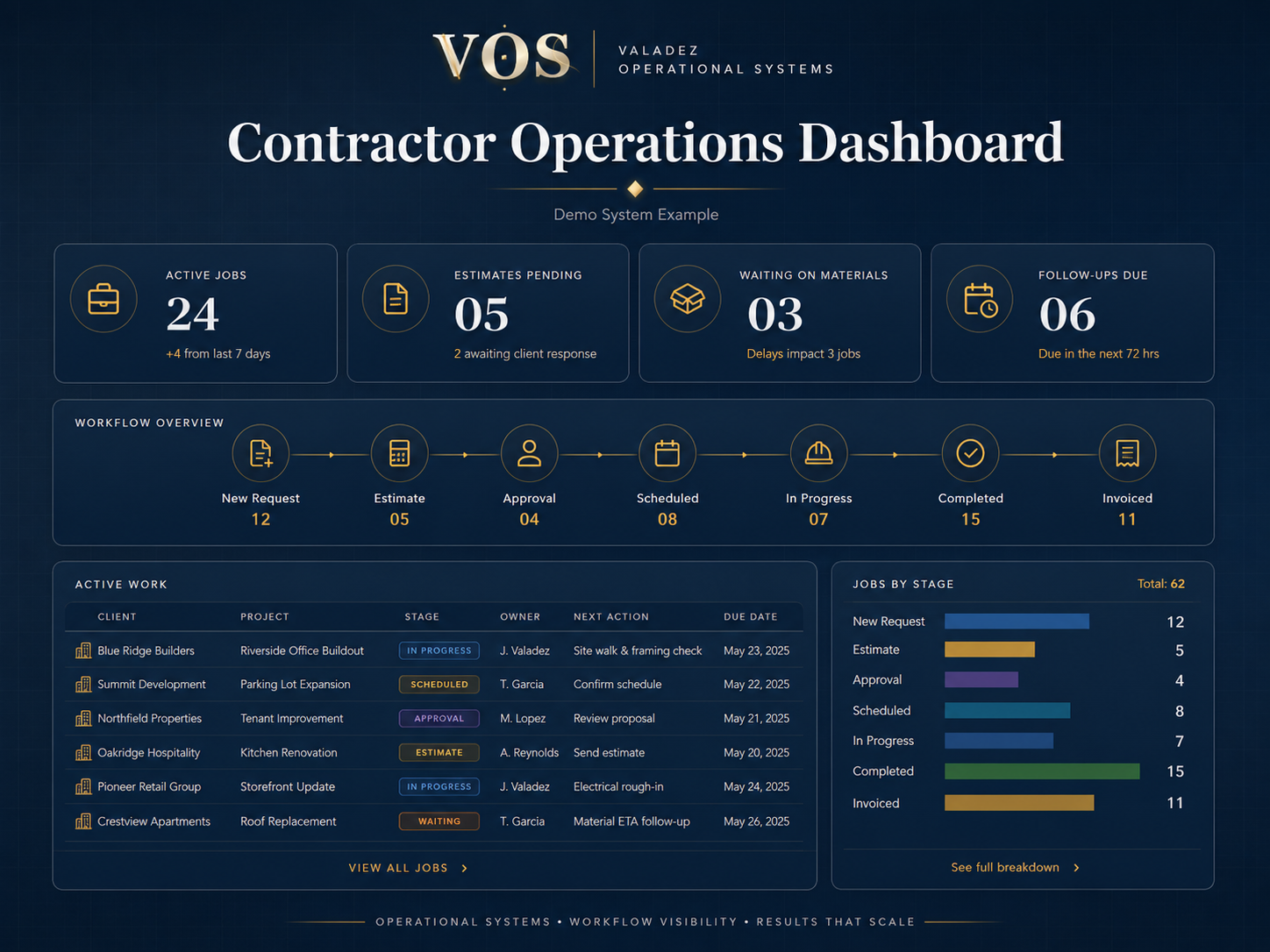
Operations dashboard
Give the owner a quick weekly view of open work, priorities, delays, and what needs follow-up to keep the operation moving.
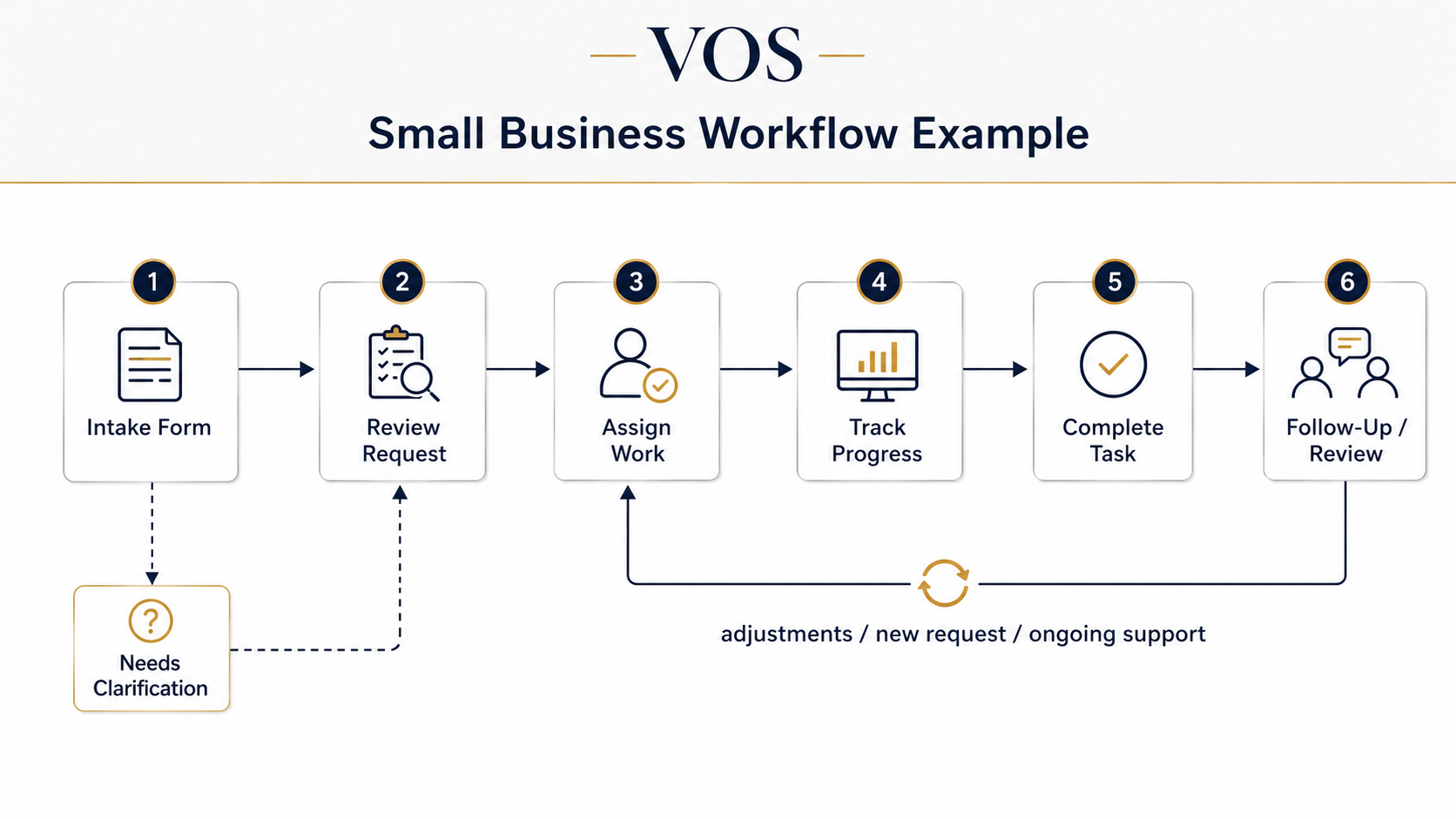
How the small business workflow connects.
This simple workflow shows how everyday work can move from intake through review, assignment, tracking, completion, follow-up, and adjustments or ongoing support.
Start with a Workflow Review.
A Workflow Review can identify what small business operation needs structure first.
Request a Workflow Review